Zotero for Android
Zotero for Android is the best way to work with your Zotero library on an Android device.
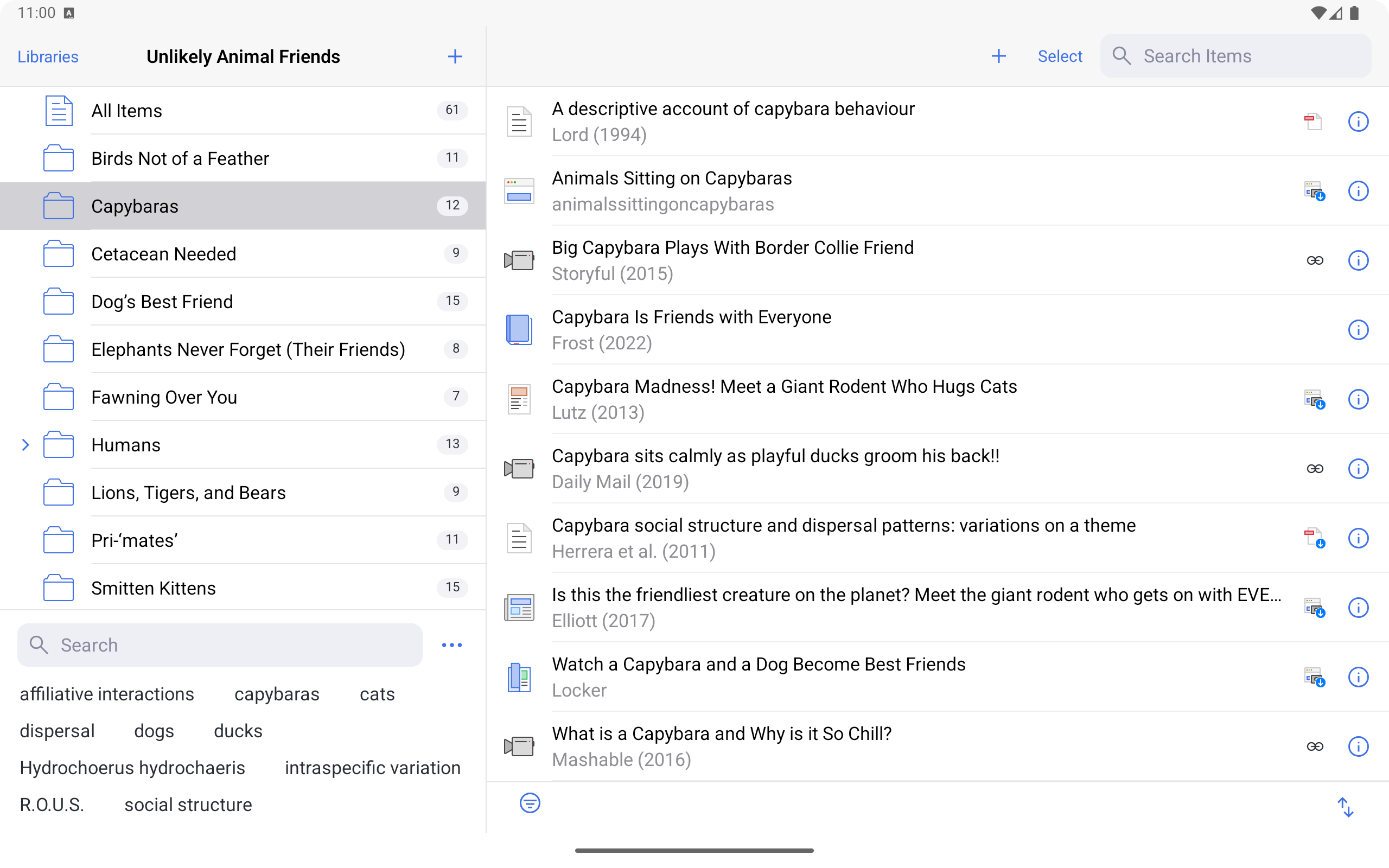
Zotero for Android lets you work with your Zotero data no matter where you are:
- Sync your personal and group libraries
- View and edit item details
- Organize items into collections
- Take notes on your research
- Read PDFs and add highlight, note, image, and ink annotations (EPUB/snapshot support coming soon)
- Save journal articles, newspaper articles, books, webpages, and more by sharing a URL from your browser or other apps
- Automatically download article PDFs to read (currently limited to PDFs accessible without a login due to Android limitations)
- Add items by DOI, ISBN, PMID, or other identifiers
- Automatically retrieve bibliographic details for PDFs saved directly to the app
- Quickly add physical books to your Zotero library by scanning book barcodes with your device camera
Back on your computer, you can add the PDF annotations you've made on your Android device to Zotero notes and insert those notes into your word processor document with active Zotero citations or export them to Markdown.
Please post to the Zotero Forums with any bug reports or feature requests. Be sure to mention “Android” in your thread title.